
Error code 0xC004C060 appears when the Microsoft activation server determines there is a problem with the specific product key being used. The Software Licensing Service message reads: “The activation server determined that the specified product key is not available.”
According to Microsoft’s activation error documentation, this error is server-side — the key was received and evaluated by Microsoft’s systems, and the systems returned a rejection. This distinguishes it from errors caused by network problems or incorrect key entry.
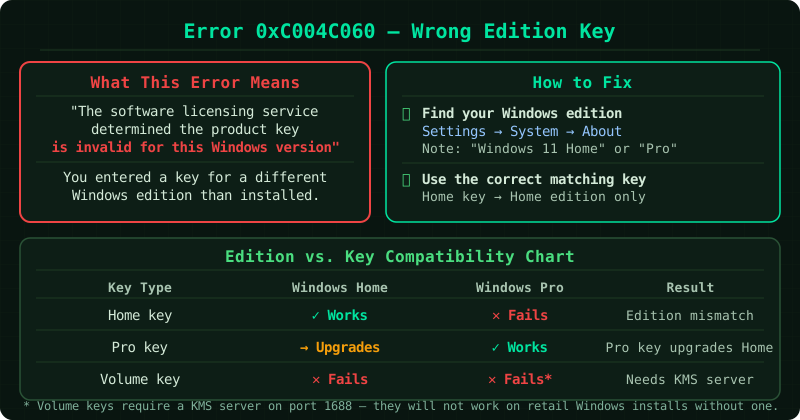
What causes error 0xC004C060
The product key has been flagged or suspended. Microsoft’s activation servers track each product key. If a key is detected on an unusual number of devices, associated with fraudulent activity, or reported as misused, the server can suspend it — preventing further activations even if the key itself is technically valid.
The key is from a batch that has been recalled. In some cases, batches of product keys distributed through specific channels are recalled after the fact. Individual keys from these batches trigger server-side rejection regardless of how they were obtained.
The key was purchased from an unauthorised source. Keys sold through grey-market resellers are frequently from recalled batches or keys that were obtained through questionable means. These keys may work initially but can be revoked remotely by Microsoft.
A licensing agreement violation was detected. Certain product keys — particularly those licensed for specific uses such as education, charity, or OEM channels — cannot be used outside their intended context. Using such a key outside its authorised channel can trigger this error.
What to do
Step 1 — Run the activation troubleshooter
Go to Settings > System > Activation and select Troubleshoot. In some cases, the troubleshooter can contact Microsoft’s licensing systems and resolve a server-side flag automatically, particularly for keys that were legitimately purchased but incorrectly flagged.
Step 2 — Try phone activation
Phone activation uses a different verification pathway than online activation and can sometimes succeed where online activation fails:
- Open an administrator Command Prompt and run:
slui 4 - Select your country and dial the number displayed
- Follow the automated voice system
- If the system rejects the key, select the option to speak with a support representative
Step 3 — Contact Microsoft support directly
If you have proof that your product key was legitimately purchased — a receipt from the Microsoft Store, an authorised retailer, or the original device documentation — contact Microsoft support at support.microsoft.com.
Provide:
- The exact error code (0xC004C060)
- Your proof of purchase
- The channel through which you obtained the key (Microsoft Store, retail box, OEM device, etc.)
Microsoft support can investigate the key’s status, confirm whether it has been flagged, and in cases of legitimate purchase, assist with resolution.
Step 4 — If the key was purchased from an unofficial source
Keys purchased from third-party marketplaces, auction sites, or discount key resellers are not covered by Microsoft support. If a key from one of these sources triggers 0xC004C060, the key is the problem. Microsoft’s recommendation is to purchase a legitimate key from an authorised source.
Authorised sources include:
- Microsoft Store (microsoft.com/store)
- Major electronics retailers
- Direct from the device manufacturer for OEM licences
Checking your current activation status
To confirm the current state of Windows licensing on your device, open an administrator Command Prompt and run:
slmgr /dliThis shows the licence status, the partial product key, and whether the device is currently activated. If the status shows “Notification” or “Out-of-tolerance,” the device is not activated and the error is active.
Common Questions
My key worked previously and now shows 0xC004C060. Why? Microsoft can revoke product keys after the fact — typically when fraudulent activity is detected on the key or its associated batch. A key that activated successfully in the past can be suspended remotely. This is most common with keys from grey-market sources.
Is my data safe if Windows shows this error? Yes. An activation error does not affect files or installed applications. Unactivated Windows displays a watermark on the desktop, shows a persistent notification, and disables personalisation settings — but your data is safe and the operating system continues to function.
Can I get a replacement key if mine was legitimately purchased but revoked? Contact Microsoft support with proof of purchase. Microsoft evaluates cases individually. For keys purchased directly from Microsoft or authorised retailers, replacement or resolution is possible. For keys from unauthorised sources, Microsoft does not provide replacements.